Skip to content

Your money, on autopilot

Five seconds, then stop thinking about money.

Wake up knowing what you can spend today, with bills, cards, and payday already accounted for.

Sample household · Before payday

This morning

/day

Plenty of room.

The $400 buffer stays where it is.

See what changes the number

The receipt

Where the number comes from

6 days

Checking, this morning$1,790

Your buffer−$400

Spendable cash$1,390

Rent tomorrow−$950

T-Mobile in 3 days−$143

Visa minimum in 5 days−$57

Left for the days ahead$240

The 6 days to payday÷ 6

Today's spend limit$40

The buffer stays untouched. No bank is connected to this demo.

iPhone, US banks · Free on TestFlight now

01 How it works

The real app

The number. The forecast. A tight week.

The iPhone app, running on one fixed sample household.Change the inputs yourself in the browser.

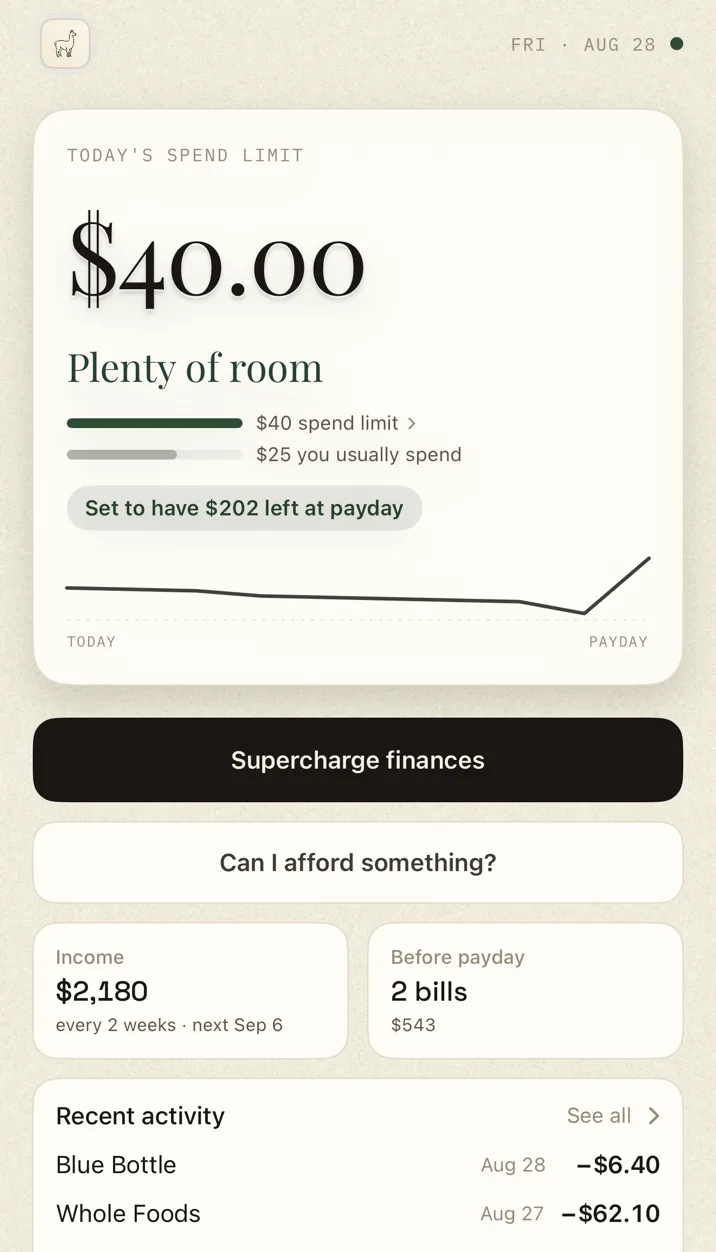
The Ralphy app on a clear week: today's spend limit is $40 with the verdict 'Plenty of room', a bar comparing it to the $25 you usually spend, and the note 'Set to have $202 left at payday'.

01 · A clear week

The limit, usual spending, and expected payday balance sit together.Why this number opens the receipt behind the $40.

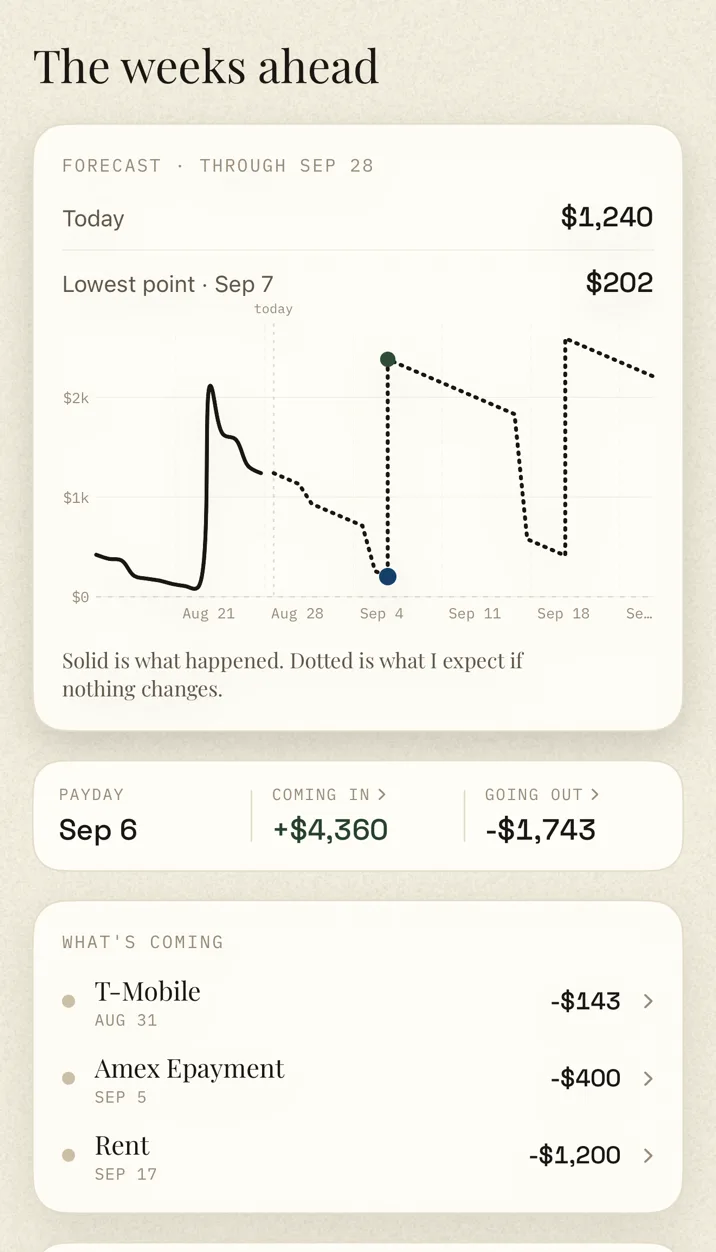
Ralphy's Ahead screen: a forecast through the next payday with today at $1,240, the lowest point marked at $202 on Sep 7, and upcoming bills listed with their dates.

02 · The weeks ahead

Solid is what happened. Dotted is the forecast. Bills, payday, and the lowest expected balance are marked on the same line.

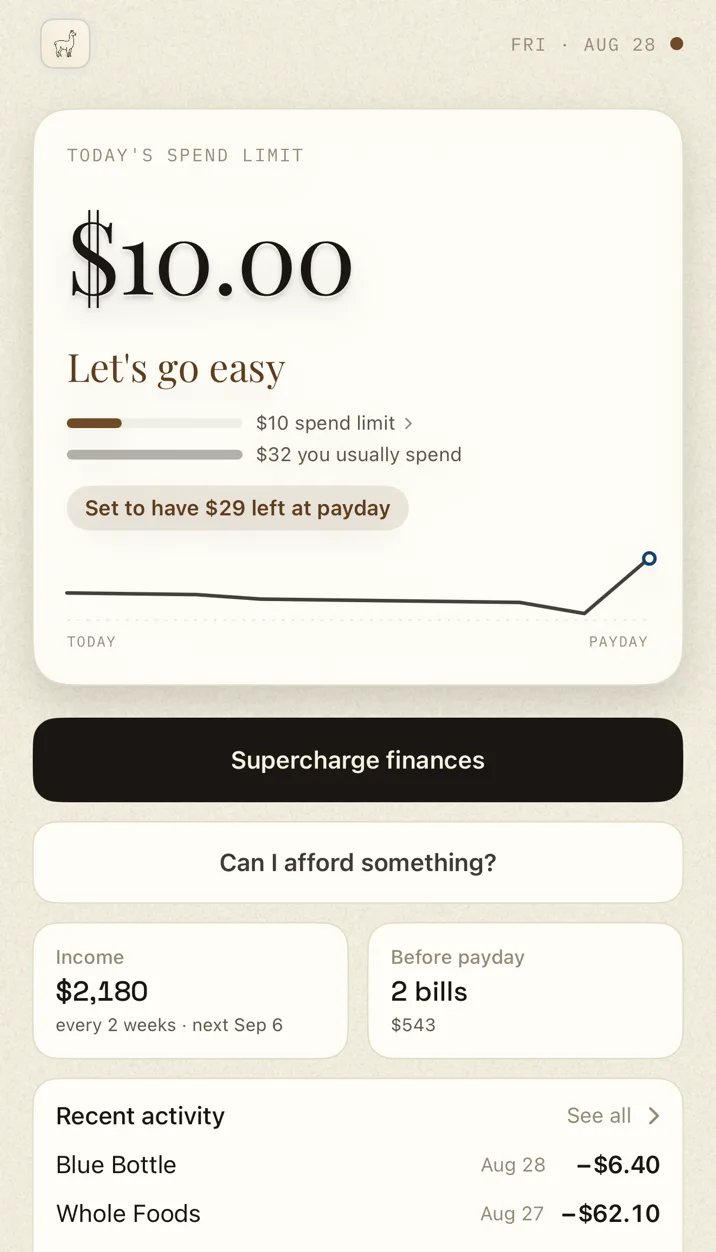
The Ralphy app in a careful week: the verdict reads 'Let's go easy' with a trimmed $10 spend limit and the note 'Set to have $29 left at payday'.

03 · A careful week

The limit falls to $10 and the payday floor to $29. The explanation stays beside the number.

The rest of the time

Most days you don't open it.

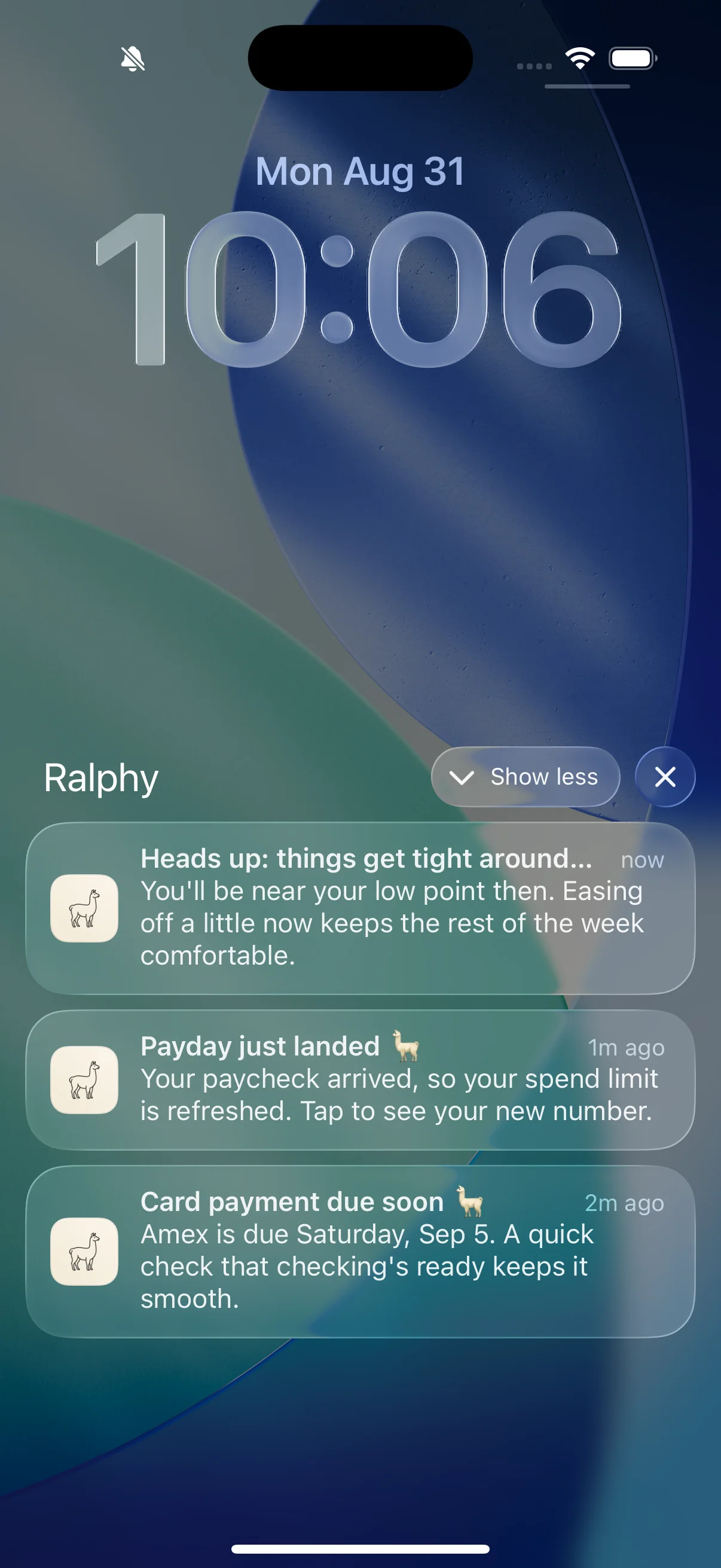
A lock-screen heads-up and a widget carry the answer outside the app.

A real iPhone lock screen, Monday August 31: Ralphy's notification group expanded, showing the heads-up 'things get tight' from moments ago, 'Payday just landed', and a card payment reminder due Saturday.

Before it gets tight.

The notification names the change while there is still time to react.

On the home screen.

Today's limit and what is left, before the app opens.

Why I’m building Ralphy →

Fair questions, short answers.

Can I try Ralphy without connecting a bank?
Yes. Try a morning with sample money in your browser. There is no account, download, or bank connection, and every number in the receipt changes with the scenario you choose.
What if I disagree with the number?
Open Why this number to see the balances, bills, card payments, buffer, and payday behind it. That receipt makes the assumption that moved the number visible. During the beta, you can reply through TestFlight or email hello@getralphy.app, and Stephen reads it.
How do I know when my bank last updated?
Ralphy shows when your bank data last updated. If a linked bank disconnects, it pauses the forecast and shows you how to reconnect, so an old balance does not quietly look current. Read the technical details.
What does Ralphy cost, and when can I try it?
The TestFlight beta is free and open now, capped at twenty-five testers. At App Store launch, Ralphy will be $3.99/month. Eligible new subscribers can start with a two-week free trial. One plan includes everything, billed through your Apple ID.

02 Try Ralphy

Free during the beta

Try the real app on TestFlight.

Wake up to your spend limit, open the receipt behind it, and tell Stephen where the forecast earns your trust or loses it.